

PC Sound Fix
Audio Device Scanner & Repair Tool for Windows
ZIP file · extract and run — no setup, no registry
See It In Action
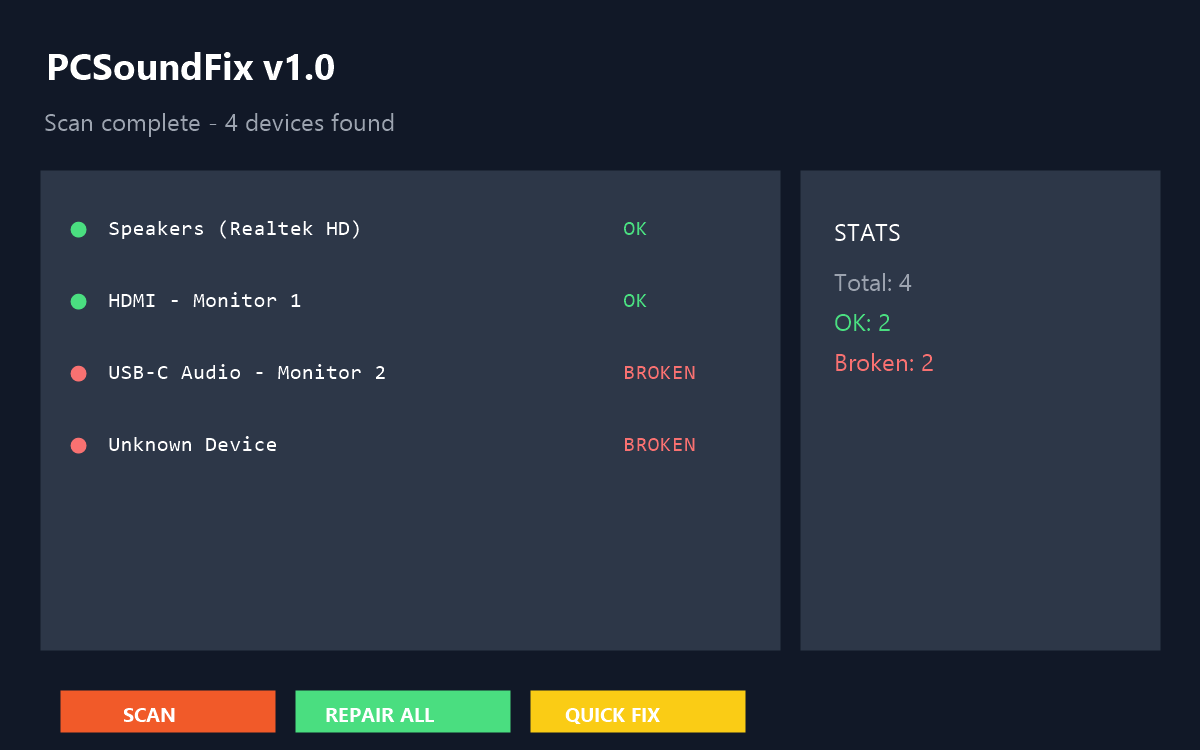
Actual app window — one click repairs phantom and broken audio devices.
What This Tool Fixes
PC Sound Fix scans your system for audio playback devices, detects phantom or broken devices, and repairs them automatically — no reboot needed.
Phantom Audio After Sleep
Devices stuck after wake get cleaned up automatically.
USB-C / HDMI No Sound
Monitor connected but audio not detected — restarts display audio drivers.
Missing Endpoints
Headphone or speaker outputs not showing in sound list.
"Unknown" Devices
Uninitialized endpoints cluttering the audio device list.
How to Use
1 GUI Mode
Double-click PCSoundFix.exe to open the window:
2 CLI Commands
Run from Command Prompt or PowerShell:
fix and quick require Admin (UAC). scan, set,
test, info run without elevation.
System Requirements
Operating System
Windows 7 / 8 / 10 / 11
x86 & x64 compatible
Dependencies
- .NET Framework 4.0+
- PowerShell 5.1
- pnputil.exe
All shipped with Windows 10/11. Win7 users install .NET 4.8.
Size
~35 KB
Type
Portable
License
Freeware
Version
v1.0
Device Status Guide
Device is working correctly. No action needed.
Phantom device — Windows remembers it but hardware is disconnected. Use REPAIR ALL to remove. (Device re-appears correctly when reconnected.)
Endpoint not fully initialized. Same as BROKEN — run REPAIR ALL.
Changelog
v1.0.0 — July 30, 2026
Initial Release- Scan & repair phantom / broken audio playback devices
- Restart HDMI / USB-C display audio drivers
- Remove "Unknown" endpoints cluttering the device list
- Set default playback device & test chime (CLI)
- Fully portable — no install, no registry, no telemetry
Quick Help
0 devices found?
Run as Administrator. Right-click PCSoundFix.exe → Run as Administrator.
Fix didn't solve my audio problem?
Check: USB-C may not carry audio (use HDMI). Install NVIDIA/AMD/Intel display audio drivers. Make sure monitor volume is up & not muted. Try re-plugging the cable after running fix.
Monitor has display but no sound?
This is exactly what this tool was built for. Connect
BOTH USB-C and HDMI, then run PCSoundFix fix. One cable for display, the other
for audio negotiation.
Loved by early testers
Simple, portable, and it just works — no install, no clutter.
Shared Porta Kisoi Kono Software Diyen
This tool is meant to be SHARED. Give it to friends struggling
with Windows audio. Put it on a USB stick. Email it. Share it on Discord.
It is fully portable — no install, no setup, no registry, no telemetry, no internet
needed.
FREE SOFTWARE. NO STRINGS ATTACHED.
Developed by
S M Rafaet Hossain
"Sound should just work." — Famous last words.